BMA360, Part 2: A Serial Console and Our Own Kernel
Published:
At the end of Part 1 the audio never entered Linux, so there was nothing to record from userspace. Before I can change that I need a shell on the OMAP that I control, and then a kernel I built. This part covers the serial console, the boot chain, an NFS root that changes nothing on the device, and a kernel written into flash with the factory recovery image left alone.
The header
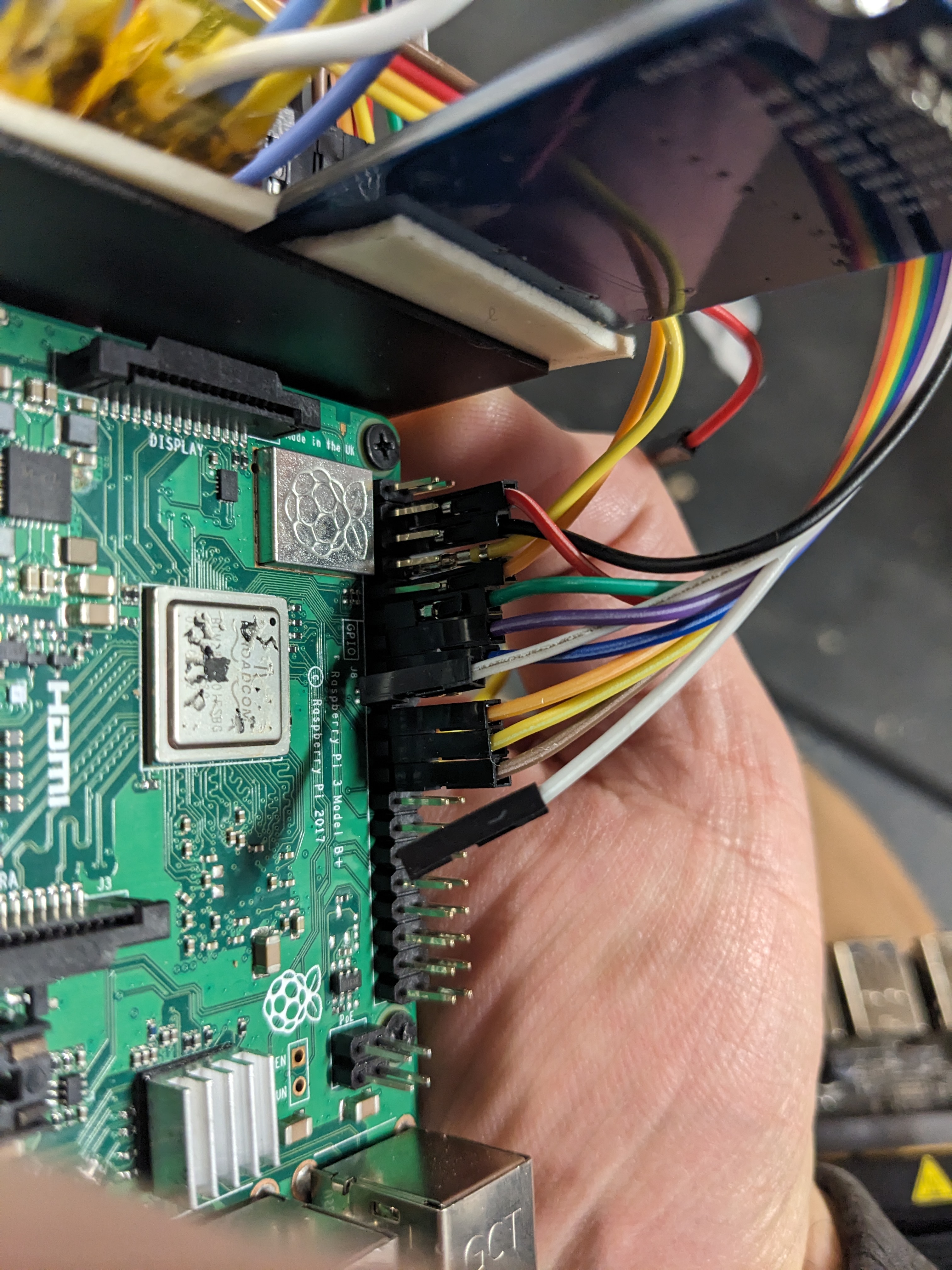
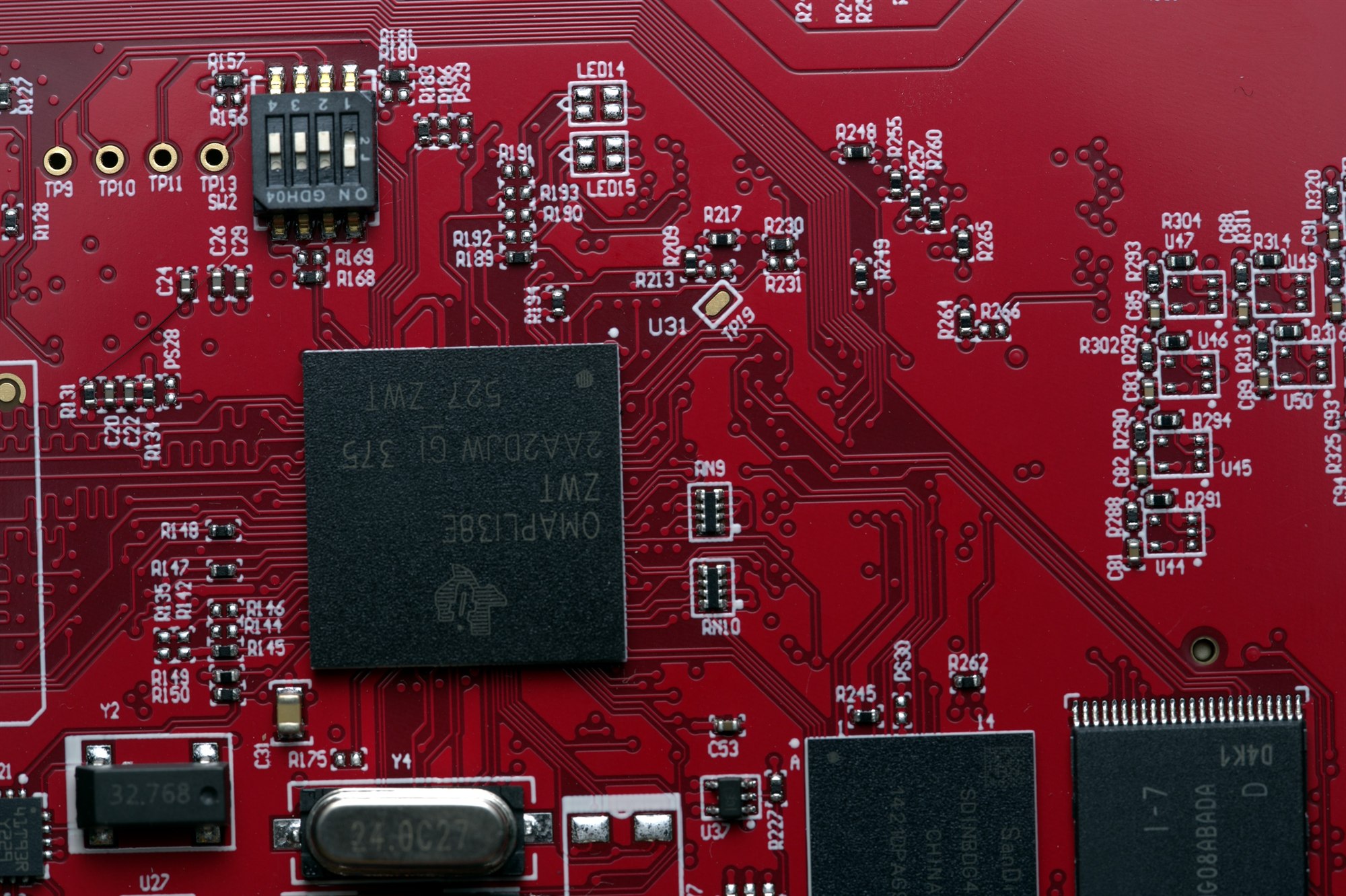
The OMAP module has a 4-pin 0.1” header labelled J8, and the vendor’s board notes call it Linux 115200. I put a 3.3 V USB-UART dongle on J8 at 115200 8N1 and the board talks on power-up. The other header, J6 at 57600, is the RS-232 control port, not the Linux console.
The boot chain
The console shows a standard TI boot chain: ROM, then TI’s UBL, then U-Boot, then Linux.
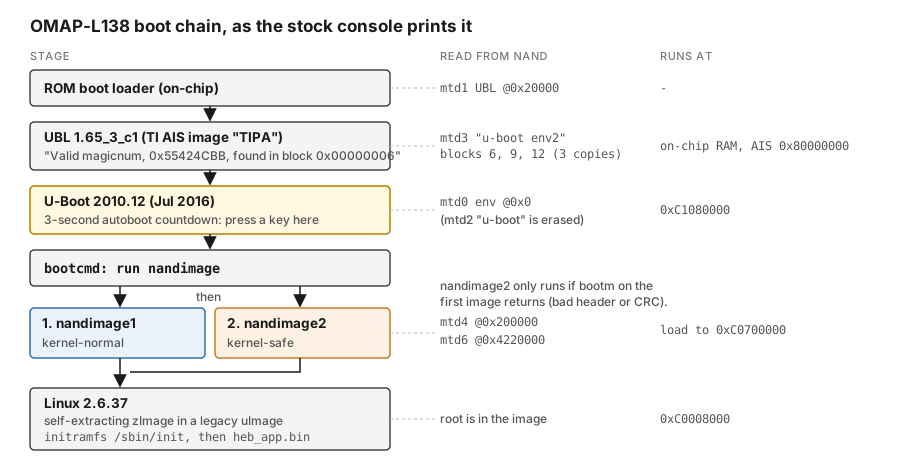
The UBL prints this:
Booting TI User Boot Loader
UBL Version: 1.65_3_c1
Valid magicnum, 0x55424CBB, found in block 0x00000006.
Valid boot image found!
Starting NAND Copy...
Jumping to entry point at 0xC1080000.
U-Boot comes next. It has a prompt and a three-second autoboot countdown, so it’s the stage you interrupt. The first thing I did there was dump the environment:
bootcmd    = run nandimage
nandimage  = run nandimage1; run nandimage2
nandimage1 = run nandargs; nand read ${loadaddr} ${kern_nandoffset} ${imagesize}; bootm ${loadaddr}
nandimage2 = run nandargs; nand read ${loadaddr} ${kernsafe_nandoffset} ${imagesafesize}; bootm ${loadaddr}

loadaddr         = 0xc0700000
kern_nandoffset  = 0x200000      imagesize     = 0xC45808
kernsafe_nandoffset = 0x4220000  imagesafesize = 0x9fc82c
bootdelay = 3    baudrate = 115200
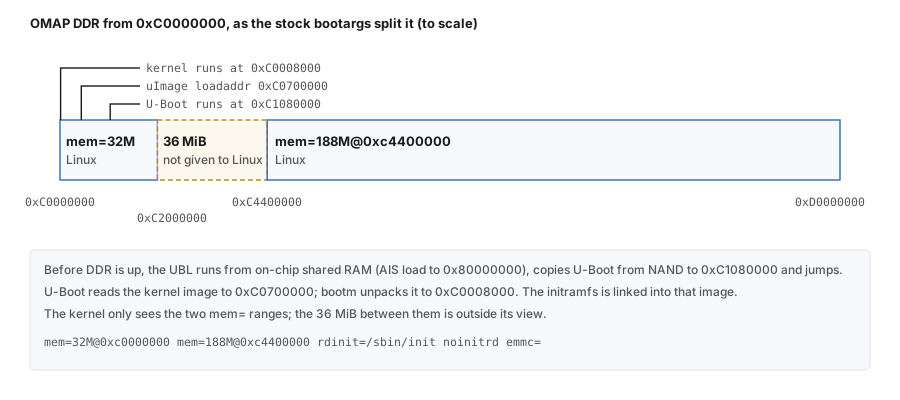
nandargs: console=ttyS2,115200n8 noinitrd rw mem=32M@0xc0000000 mem=188M@0xc4400000 \
          rdinit=/sbin/init ip=none emmc=${emmc} eth=${ethaddr}
flags: KERNELBOOT=1  MFG_MODE=FALSE  SKIP_APP=1
ver = U-Boot 2010.12-00000-gadf5366 (Jul 20 2016 - 16:29:05)
nandimage runs nandimage1, then nandimage2. The first boots the normal kernel at 0x200000 and the second boots a recovery kernel at 0x4220000. The second one only runs if bootm on the first image returns. A kernel with a bad header or CRC falls through to the safe one. A kernel that starts and then hangs doesn’t, because bootm never returns. Remember that before you write anything into the primary slot.
Two more things from the env. The vendor scripts write the console as ttys2 in lowercase, and it works. And emmc= with an empty value has to be there: that argument makes the kernel register the MMC controller. Leave it off and the eMMC never shows up.
The mem= pair splits DDR in two and leaves a 36 MiB hole that Linux never sees:
The flash, before touching anything
The NAND is a 512 MiB Micron part. The stock kernel prints nine MTD partitions. Before I wrote anything I backed up every partition through the MTD driver, then went through the dumps one 128 KiB erase block at a time:
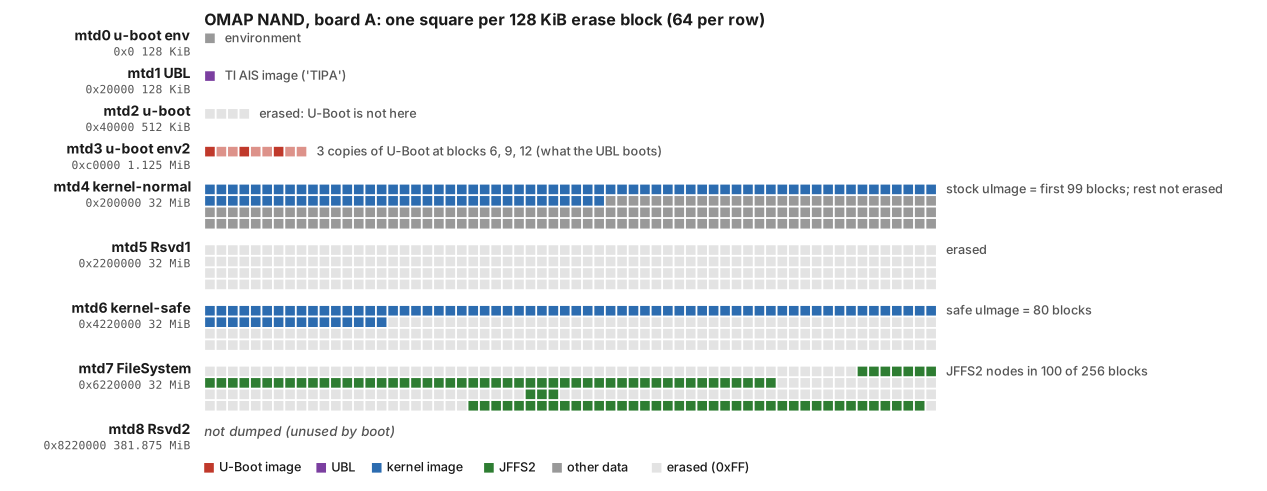
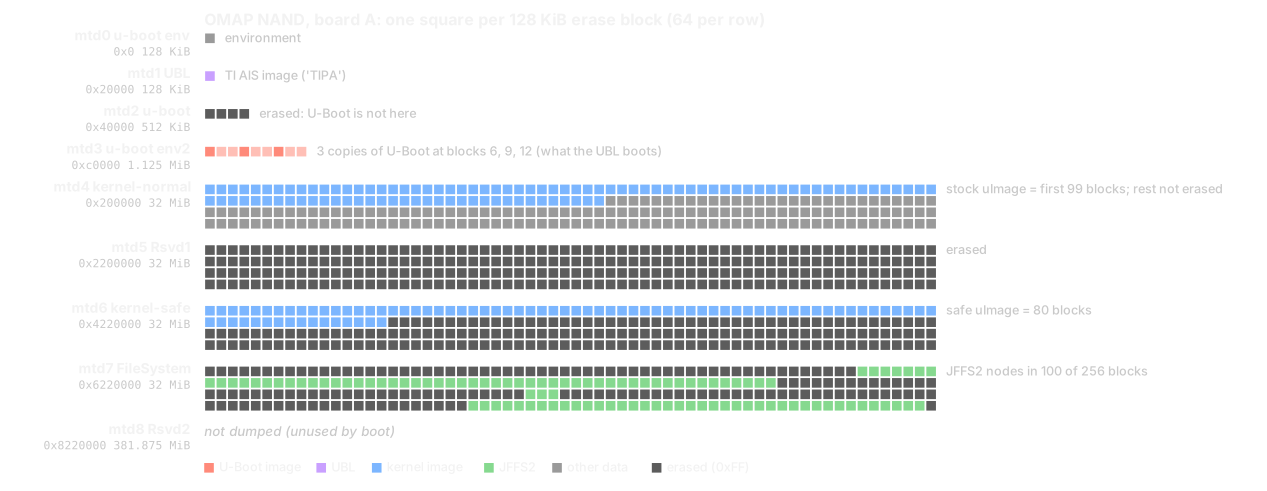
The partition names don’t match what’s in them. The partition called u-boot at 0x40000 is blank. The U-Boot that actually runs is in u-boot env2, three copies at blocks 6, 9 and 12, and that’s the “block 0x00000006” in the UBL output. FileSystem isn’t empty either: 100 of its 256 blocks have JFFS2 nodes. Past the 99 blocks of the stock image, kernel-normal still holds old data that was never erased.
Linux doesn’t mount its root from NAND. The root is a cpio archive built into the kernel image, a self-extracting zImage wrapped in a legacy uImage. That’s why the command line has noinitrd, rdinit=/sbin/init and no root=. The 8 GB eMMC holds the application, config and logs:
mmcblk0  partitions
 p2 /fwsys   4M   runtime flags
 p3 /fwbin   2G   app + kernel + firmware blobs
 p5 /fwdata  2G   config / live state
 p6 /fwlog   1G   syslog
 p7 /fwsync  1G   staging for over-the-air updates
The flags in /fwsys work by file presence. If a file named MASTER or updateflag.fpga exists, the flag is set. The contents don’t matter.
Booting a root that changes nothing
The first foothold doesn’t write to the device at all. I interrupt U-Boot, point the kernel at an NFS root exported from the bench machine and boot. The flash isn’t touched, and a power cycle puts the board back to stock:
setenv serverip <bench-ip>
setenv ipaddr   <board-ip>
setenv bootargs console=ttyS2,115200n8 noinitrd rw \
    mem=32M@0xc0000000 mem=188M@0xc4400000 \
    root=/dev/nfs nfsroot=<bench-ip>:/srv/rootfs,nolock \
    ip=<board-ip>:<bench-ip>::255.255.255.0::eth0:off \
    emmc= eth=<board-mac>
nand read 0xc0700000 0x200000 0xc45808
bootm 0xc0700000
The exported root is the stock userland, the c1* kernel modules and my own tools. One thing cost me an afternoon: you have to copy the factory lib/ too (glibc 2.9 and the ld-linux.so.3 symlinks). Without it every vendor binary fails with ENOENT at exec. The binary is there; its loader isn’t.
With the NFS root I get a shell, my tools on PATH, and the device’s flash exactly as the factory left it.
A kernel that persists
NFS root only works on the bench. To keep a modified kernel on the tile I write it into the primary NAND slot and leave the safe slot alone. Do it in this order:
# 1. Save the stock kernel first, through the MTD char device so ECC is applied.
#    A raw nanddump copies uncorrected bytes; /dev/mtdblock4 reads fail.
board$ ls -l /dev/mtd4          # must be char 90, 8: the read/write node is minor 2*N
board$ dd if=/dev/mtd4 of=/fwsync/uImage.stock bs=131072

# 2. At U-Boot: erase the primary slot and write the new kernel.
nand erase 0x200000 0x2000000
nand write 0xc0700000 0x200000 <filesize>

# 3. If the image size changed, update U-Boot's length or bootm reads the wrong count.
fw_setenv imagesize <hex-filesize>
Check the minor number before you trust a dump. The MTD char nodes use minor 2N for partition N. A /dev/mtd4 made with minor 4 opens mtd2, the blank U-Boot partition, and dd copies 512 KiB of 0xFF without an error.
The safe kernel at 0x4220000 is never touched, so bootcmd still tries normal and then safe. To revert, write uImage.stock back the same way. Test every new kernel over TFTP first (tftp 0xc0700000 uImage.new; bootm), because a kernel that hangs after a successful bootm won’t fall through to the safe one.
There’s a second computer in the tile, running its own Linux behind a link I hadn’t brought up. That’s Part 3.
 The motor controller outputs more than enough power for a 9g servo, that servo rotates the control horn releasing the rubber band and flinging seeds. Depending on the type of seeds they can be wind dispersed or scattered by gravity alone, below is an example of wind dispersed